Cosmic Math
Group Project with a team of 4 other students.
Role: Unity Mechanics
Software Used (For my role): Unity Game Engine, PlayMaker Plugin for Unity, Microsoft Teams


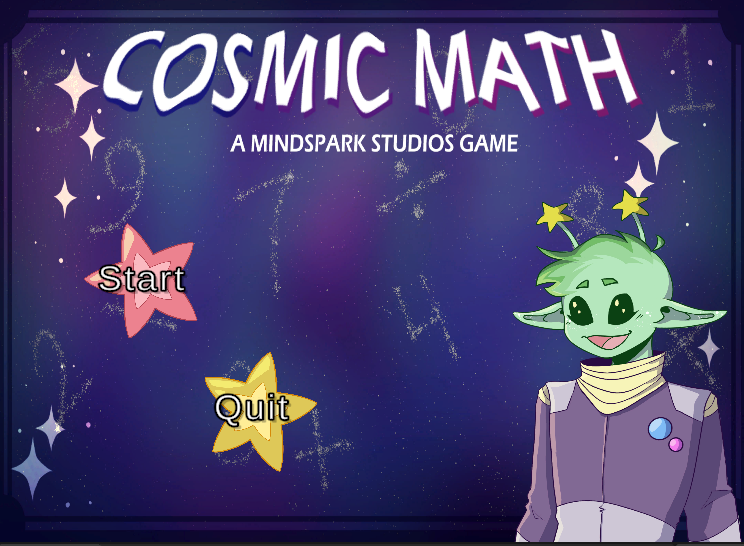
Main Menu
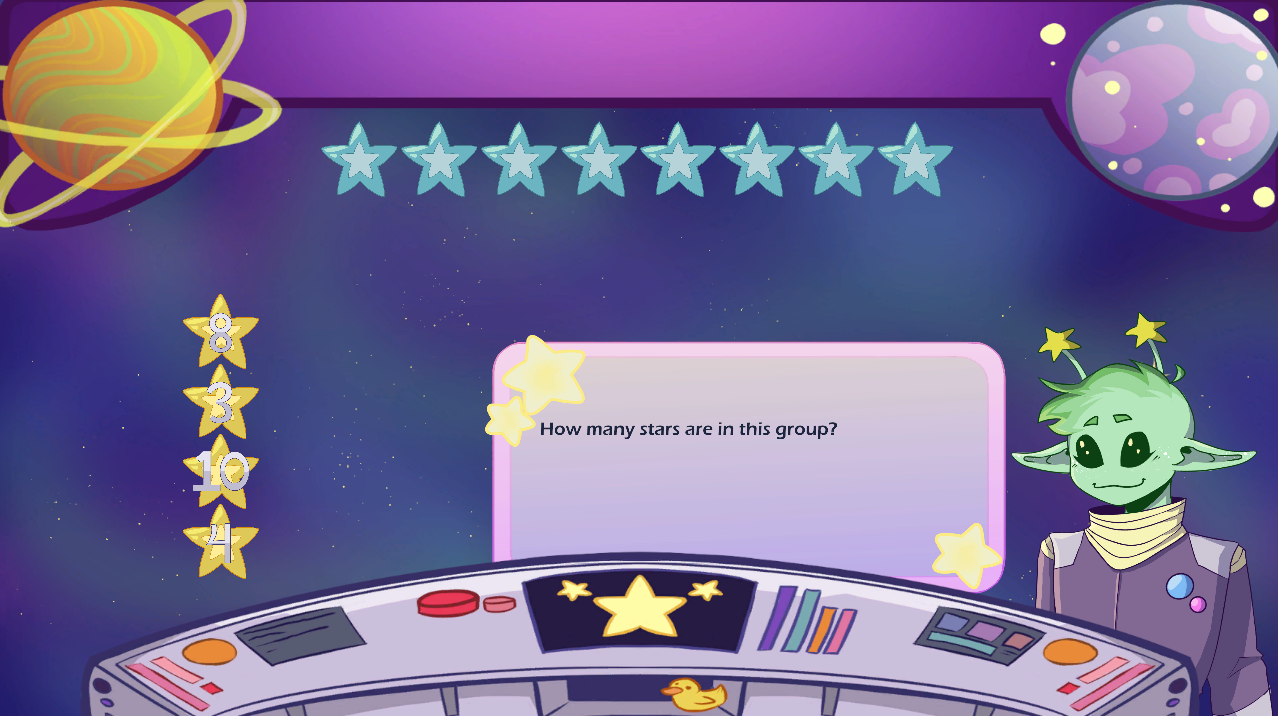
Gameplay Screenshot
Cosmic Math is an educational game designed to teach math to children aged 7-8 years old.
My part in this project was to implement the game mechanics in the Unity game engine. I was chosen to be the group member who created the mechanics in Unity because I am very comfortable with the engine.
The group as a whole decided on the space theme during our initial group meeting, after seeing some concept art by the team's artist during the meeting. We decided to teach elementary school-level math because one of our group members was an elementary school teacher who could help us create lessons using the NL Eastern School District curriculum for the subject.
Gameplay Video
Screenshots
File Structure
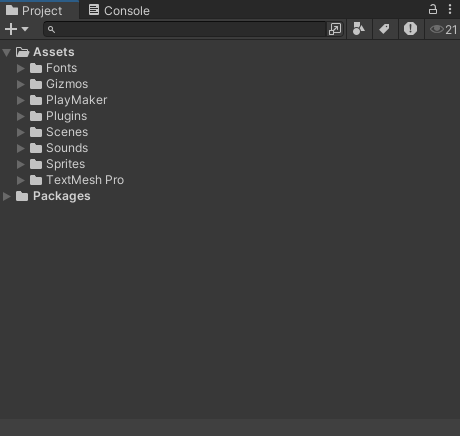
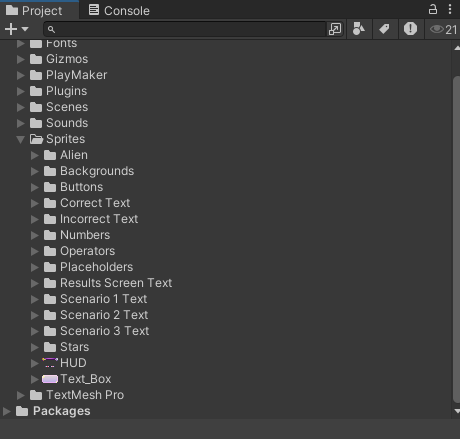
Since I was the only one working in the engine, this gave me complete control over the file organization within Unity.
I wanted to ensure others would easily find everything, should anyone else choose to implement something in the engine. I also wanted to ensure everything stayed organized so the project did not get overwhelming during development for myself or anyone else.
This is how each file is organized within Unity. Each element used to create the game is organized into a simple file structure.
The only folder that contains subfolders is the "Sprites" folder, which contains a subfolder for each type of sprite (seen in the image on the right).
However, the folders "Gizmos", "Playmaker", and "TextMesh Pro" are created automatically by several packages imported into Unity during development. Specifically, the TextMesh Pro and Playmaker packages.
Scene and Hierarchy Structure
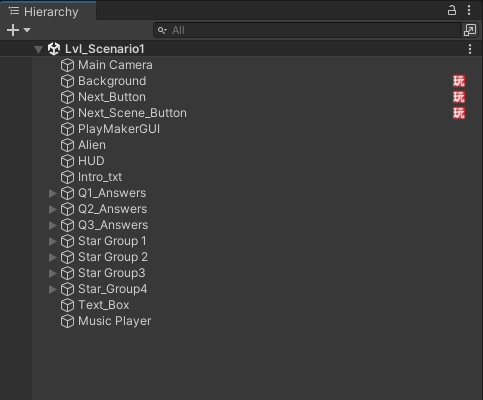
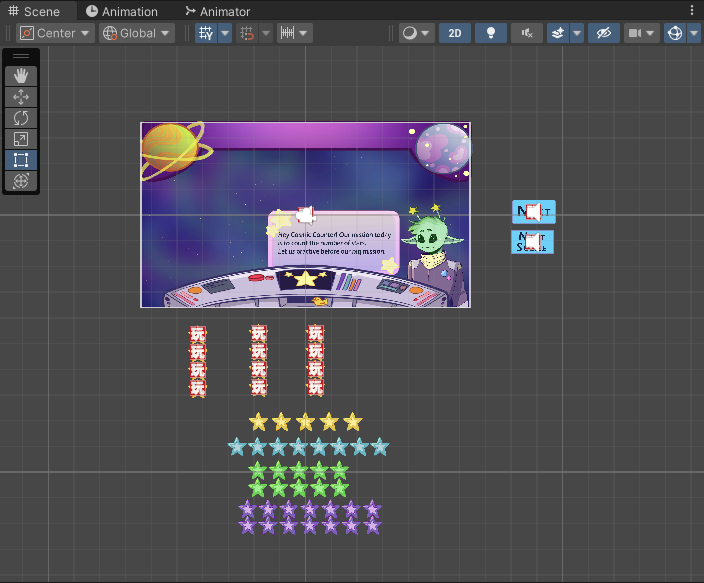
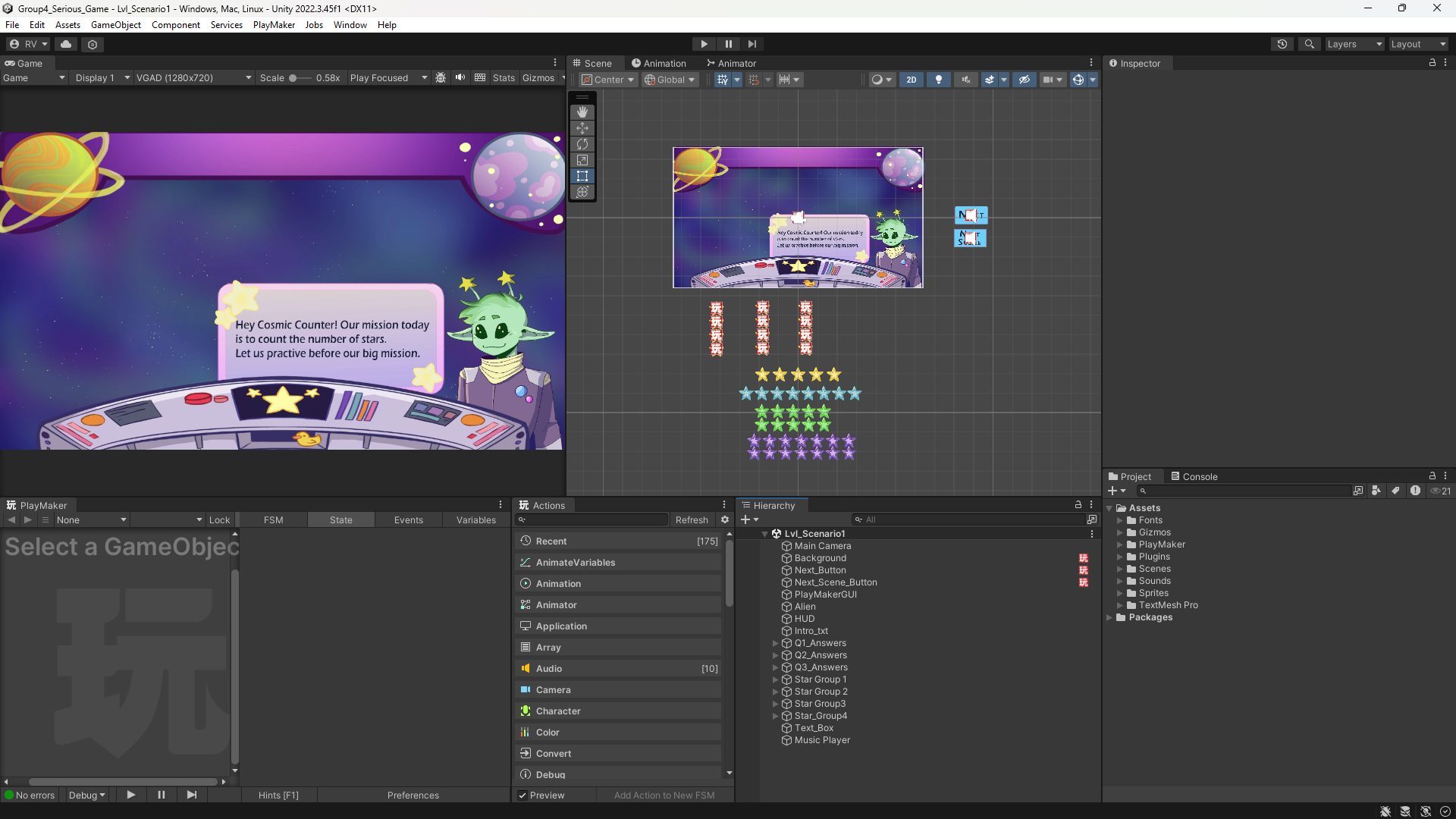
For the same reasons listed above, I wanted to make sure the objects within the Unity scene remained organized throughout the whole process to ensure organization and keep a clean look during development.
This made it much easier to make changes with everything organized in its designated locations.
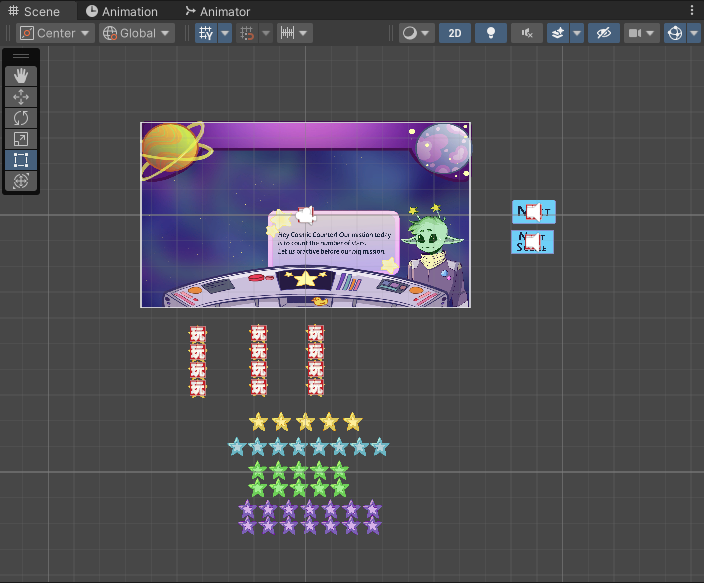
This is the view inside Unity. The elements in each level are organized in a specific manner in the level hierarchy.
Each object is named specifically to easily tell objects apart from one another. More complex or larger objects, such as the answers the player has to choose from for each question, as well as the stars that appear for the player to count, are grouped into a parent object to keep the hierarchy looking organized while still knowing which objects are for the same questions.
For example, "Q1_Answers" contains the set of answers for question 1, and "Star_Group_1" contains the visual for that same question.